ChatGPT vs Claude: Idle tomato tycoon: 582 lines vs 2,530
Our longest brief yet: a whole factory game in one HTML file. Both built all of it — one in 582 lines, the other in 2,530. They are not the same game.
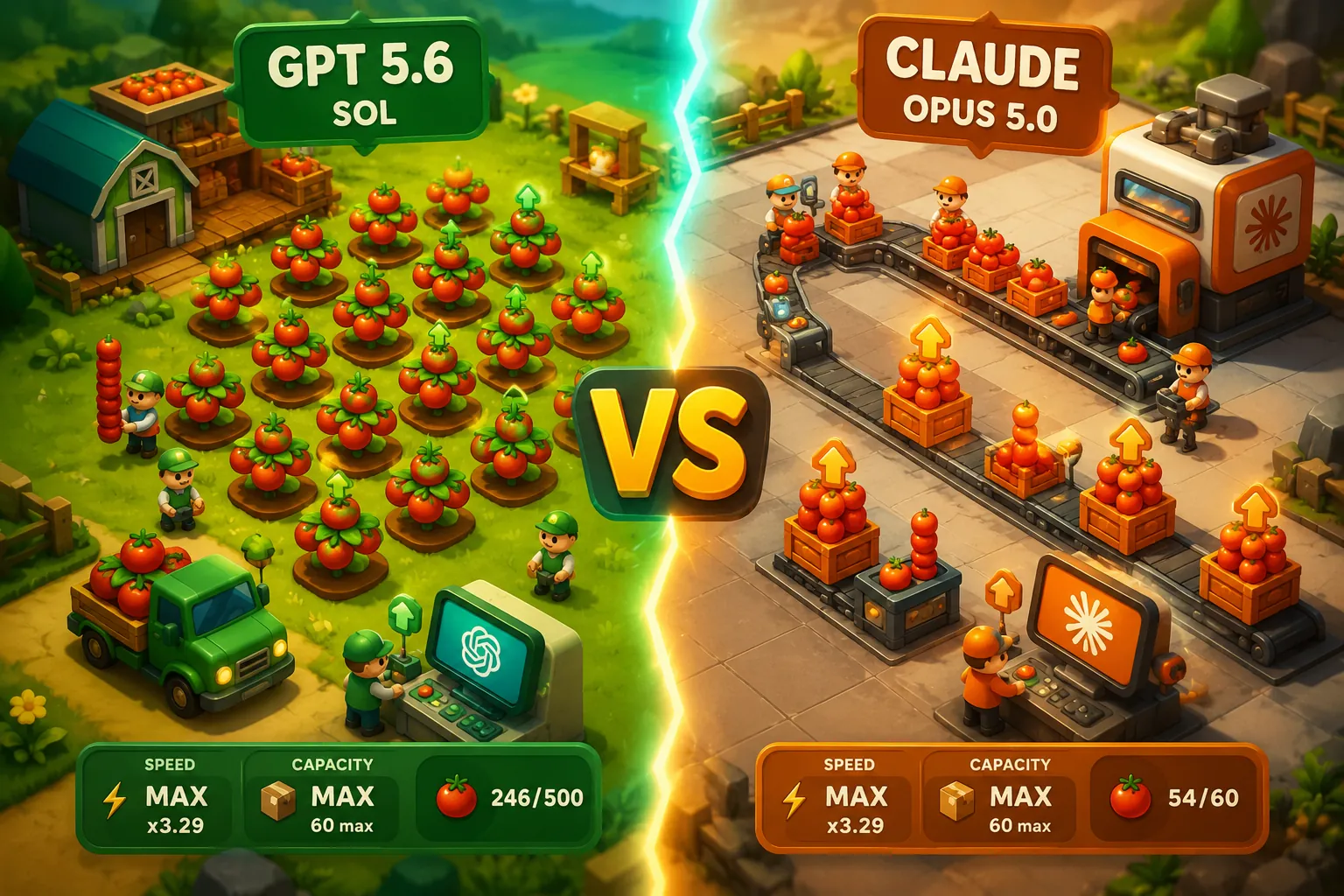
GPT 5.6 Sol (Extra High)vsOpus 5 (Max)
Too close to call
GPT 5.6 Sol (Extra High)
- Technical score
- 100
- Web app completion time
- 14m 15s
- Requirements met
- 13/13
Opus 5 (Max)
- Technical score
- 100
- Web app completion time
- not recorded
- Requirements met
- 13/13
Word for word, as both models received it
Create a complete, polished browser game in a SINGLE index.html file.
The game should be a satisfying hyper-casual / idle factory management game inspired by the simple mobile games often seen in Instagram ads.
GAME CONCEPT
Theme: Tomato Factory / Tomato Business Tycoon.
The player starts with a very small tomato business and gradually builds a large automated tomato production factory.
The core gameplay loop should be:
Grow tomatoes → Harvest tomatoes → Carry tomatoes → Process tomatoes → Store products → Sell products → Earn money → Upgrade machines/storage/workers → Unlock new production lines → Repeat.
The game should feel extremely satisfying, simple, colorful, addictive, and easy to understand without instructions.
⸻
VISUAL STYLE
Create a cute, colorful, polished 2D top-down / slightly isometric game.
Visual inspiration:
	•	Hyper-casual mobile management games
	•	Bright green farm environment
	•	Red tomatoes
	•	Wooden crates
	•	Small cute player character
	•	Factory machines
	•	Storage areas marked on the floor
	•	Customers/trucks arriving to purchase products
	•	Floating money animations
	•	Upgrade buttons directly inside the game world
Use simple shapes, CSS, Canvas, SVG, or emojis if necessary.
DO NOT use external images, external libraries, external fonts, APIs, CDNs, or separate files.
Everything must work inside ONE HTML file.
⸻
CORE GAMEPLAY
The player controls a small character using:
Desktop:
	•	WASD
	•	Arrow keys
Mobile:
	•	Virtual joystick / touch controls
The character automatically interacts with objects when standing near them.
The player should NOT need to constantly press interaction buttons.
⸻
STARTING AREA
At the beginning of the game, create:
	1	Tomato Field
	2	Harvest Area
	3	Tomato Storage
	4	Selling Area
	5	One customer / delivery truck area
The tomato plants automatically grow tomatoes.
Tomatoes should visually appear on the plants.
When tomatoes are ready, the player walks close to them and automatically collects them.
The player can carry a limited number of tomatoes above or behind the character as a visible stack.
Example starting capacity:
Player Carry Capacity: 5 tomatoes
⸻
SELLING
The player carries tomatoes to a selling zone.
When standing inside the selling zone:
Tomatoes automatically leave the player’s inventory one by one.
Each tomato generates money.
Example:
1 tomato = $2
Show satisfying effects:
	•	Tomato moving into the selling area
	•	Floating “+$2”
	•	Money counter increasing
	•	Small particle effect
	•	Sound-like visual feedback
	•	Customer receiving products
⸻
UPGRADES
Create physical upgrade zones on the ground.
When the player stands inside an upgrade zone, money is automatically spent over time until the upgrade is purchased.
Show something like:
STORAGE UPGRADE $25
And visually fill a progress bar while money is being spent.
Upgrades should include:
Player Upgrades
Carry Capacity: 5 → 10 → 20 → 30 → 50
Movement Speed: Level 1 → Level 5
Tomato Field
More plants
Faster tomato growth
Higher tomato yield
Storage
Capacity: 20 → 50 → 100 → 250 → 500
Make storage visibly larger after upgrades.
Machines
Increase processing speed.
Increase production capacity.
⸻
PROGRESSION
The player should gradually unlock new production stages.
Stage 1 — Fresh Tomatoes
Grow tomatoes.
Harvest tomatoes.
Sell tomatoes directly.
Stage 2 — Tomato Washing Machine
Unlock cost example: $100
Tomatoes are placed into a washing machine.
Animation:
Tomatoes enter one side.
Machine runs.
Clean tomatoes appear on the other side.
Clean tomatoes sell for more money.
Fresh Tomato: $2
Clean Tomato: $4
Stage 3 — Tomato Cutting Machine
Unlock cost: approximately $300.
Clean tomatoes enter the machine.
The machine slices/chops the tomatoes.
Create a satisfying animation showing multiple tomato pieces.
Processed Tomato value: $8
Stage 4 — Tomato Sauce Factory
Unlock cost: approximately $800.
Tomatoes are processed into tomato sauce.
Show:
Tomatoes entering a machine.
Machine shaking / spinning.
Red sauce filling jars.
Tomato Sauce Jar value: $20
Stage 5 — Ketchup Factory
Unlock cost: approximately $2,000.
Tomato sauce becomes ketchup bottles.
Ketchup value: $50
Stage 6 — Packaging Factory
Ketchup bottles are packed into boxes.
Boxes are worth much more money.
Stage 7 — Delivery Warehouse
Unlock delivery trucks.
Workers automatically move products into trucks.
Trucks leave and return after a short period.
Generate large amounts of money.
⸻
AUTOMATION
Initially, the player does almost everything manually.
Later, the player can hire workers.
Workers should automatically:
Harvest tomatoes.
Carry tomatoes.
Transport products between machines.
Move finished products to storage.
Sell / load products.
Workers should have simple AI:
Go to source → pick up items → walk to destination → drop items → repeat.
Workers should visually carry tomato/product stacks.
⸻
SATISFYING STACK SYSTEM
An important visual mechanic:
When the player or workers collect products, show the items physically stacking behind or above them.
Examples:
Tomatoes stacked vertically.
Sauce jars stacked.
Ketchup bottles stacked.
Boxes stacked.
The stack should get visually taller as inventory increases.
Items should animate smoothly when:
Collected.
Transferred.
Dropped into machines.
Placed into storage.
Sold.
⸻
MACHINES
Machines should visibly operate.
Examples:
Conveyor belts move.
Tomatoes move along belts.
Blades rotate.
Machines shake slightly.
Tomato sauce moves into jars.
Bottles move along production lines.
Boxes appear at the end.
Make production feel alive even when the player is standing still.
⸻
CUSTOMERS
Add customers or delivery vehicles.
Early game:
Individual customers arrive and buy tomatoes.
Mid game:
Small delivery vehicles buy processed products.
Late game:
Large trucks arrive to collect packaged products.
Customers should:
Arrive.
Wait.
Receive products.
Pay money.
Leave.
Spawn again.
⸻
ECONOMY
Balance the game so progression is fast and satisfying.
The first upgrade should happen within approximately 30–60 seconds.
The player should constantly have something meaningful to upgrade.
Suggested economy:
Fresh Tomato: $2 Clean Tomato: $4 Cut Tomato: $8 Tomato Sauce: $20 Ketchup Bottle: $50 Ketchup Box: $150
Upgrade prices should increase progressively.
Example formula:
upgradeCost = baseCost × 1.6^level
Do not make the game excessively grindy.
⸻
UI
Create a clean game UI.
Top left:
Money: $125
Top right:
Current factory level.
Bottom / corner:
Mobile joystick.
Also display temporary tutorial hints:
“Harvest tomatoes”
“Sell your tomatoes”
“Buy the storage upgrade”
Hints should disappear after the player completes the action.
Do NOT cover the screen with complicated menus.
Most upgrades should happen directly in the game world.
⸻
CAMERA
Use a camera that follows the player smoothly.
The game world should be larger than the screen.
As new factories are unlocked, reveal new areas of the map.
Optionally use locked areas displaying prices such as:
TOMATO SAUCE FACTORY
UNLOCK $800
When purchased, remove the barrier and reveal the new factory section.
⸻
JUICE / POLISH
Add lots of small satisfying effects:
Floating money numbers.
Small particles.
Scale animation when collecting items.
Smooth item movement.
Machine animation.
Screen shake for major unlocks.
Confetti when a new factory is purchased.
Progress bars.
Smooth camera.
Animated money counter.
Upgrade sound simulation using Web Audio API if possible.
Add subtle background music only if it can be generated internally without external files.
Include a mute button.
⸻
GAME FEEL
Movement should feel responsive.
Animations should use easing.
Products should move smoothly instead of instantly teleporting.
Machines should look busy.
Money earning should feel rewarding.
The player should always understand:
Where products come from.
Where they are going.
What they become.
How much money they generate.
⸻
SAVE SYSTEM
Use localStorage.
Automatically save:
Money.
Unlocked factory areas.
Upgrade levels.
Workers.
Player upgrades.
Production upgrades.
Automatically load the save when the game starts.
Add a small settings button with:
Save Game
Reset Progress
Mute / Unmute
⸻
PERFORMANCE
The game should run smoothly at approximately 60 FPS.
Use requestAnimationFrame.
Keep particle counts controlled.
Support desktop and mobile browsers.
Make the canvas responsive to screen size.
Prevent mobile page scrolling while playing.
⸻
TECHNICAL REQUIREMENTS
Everything MUST be inside one HTML file.
The file must contain:
HTML CSS JavaScript
No dependencies.
No npm.
No frameworks.
No CDN.
No external images.
No external audio.
No external fonts.
No external JavaScript.
The game should launch immediately when index.html is opened in a browser.
Use HTML5 Canvas for the main game rendering if appropriate.
Organize JavaScript clearly using classes or logical modules such as:
Game Player Worker TomatoPlant Item Machine Storage Customer Truck UpgradeZone Particle Camera
Keep the code readable and maintainable despite being inside one file.
⸻
IMPORTANT
Do not create a simple prototype with rectangles and placeholder text only.
Create an ACTUAL playable and visually polished game.
Prioritize:
	1	Satisfying gameplay
	2	Smooth animations
	3	Clear progression
	4	Visible product stacks
	5	Factory automation
	6	Upgrade progression
	7	Mobile-friendly controls
	8	Visual polish
Make the initial version fully playable from tomato farming all the way to ketchup production.
If some advanced systems become too large, prioritize a polished core game rather than leaving broken or unfinished features.
Before finishing, review the entire code for:
JavaScript errors.
Broken controls.
Incorrect collisions.
Impossible upgrades.
Economy problems.
Mobile compatibility.
Save/load bugs.
Then output the COMPLETE final index.html code with no omitted sections and no placeholders such as “// add code here”.
don't look other folders
Scroll inside the box for the rest of the brief.
Requirements met
| Requirement | ChatGPT | Claude |
|---|---|---|
| Everything in a single HTML file | Met | Met |
| No external assets, libraries or CDNs | Met | Met |
| Rendered with HTML5 Canvas | Met | Met |
| requestAnimationFrame game loop | Met | Met |
| Walks on WASD as well as the arrow keys | Met | Met |
| Touch controls, so it is playable on a phone | Met | Met |
| A camera that follows the player | Met | Met |
| All five processing stages: washing, cutting, sauce, ketchup, packaging | Met | Met |
| Workers that can be hired to carry the goods | Met | Met |
| Upgrades bought by standing on them, not from a menu | Met | Met |
| Progress kept between sessions | Met | Met |
| Sound generated in code, with a mute button | Met | Met |
| The stack the brief is built around: goods visibly carried | Met | Met |
Automated checks
GPT 5.6 Sol (Extra High)
GPT 5.6 Sol (Extra High) · web app
- Total size
- 44.6 KB
- Files produced
- 1
- Outside requests
- None
- Technical score
- 100
Opus 5 (Max)
Opus 5 (Max) · web app
- Total size
- 101.6 KB
- Files produced
- 1
- Outside requests
- None
- Technical score
- 100
Timings are measured in each provider’s consumer web app, so they include network and interface conditions — they are not model inference latency.
What the numbers leave out
Both of these are the game that was asked for. Every stage in the brief is in both files — tomatoes to washing to cutting to sauce to ketchup to boxes — and both of them save, both of them run on a phone, and neither of them loads a single byte from outside. On a requirement list they are almost the same answer.
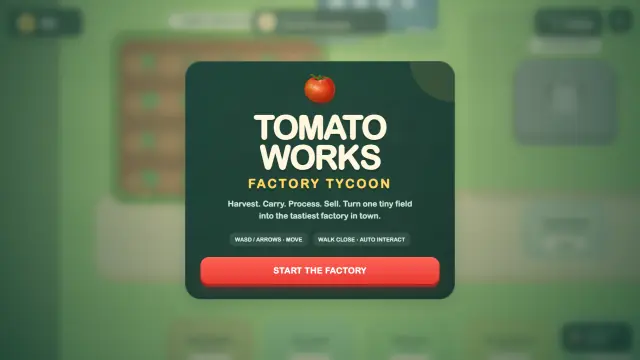
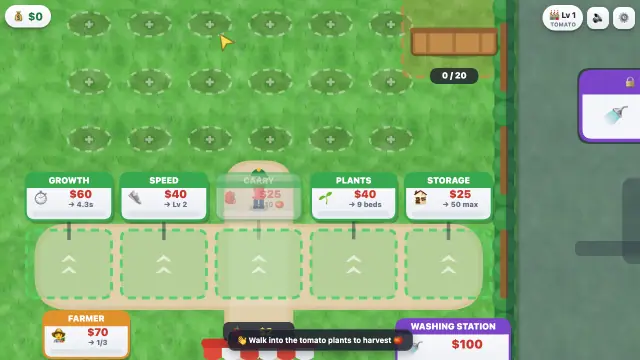
They are not the same game to play. GPT's is the plainer of the two on screen, and the trouble with it is not that it is plain: its machines and carriers stay slow and there is no upgrade that fixes them, so the factory you are building never speeds up to match the money you are making. Building it is the whole point, and it is the part that stops paying.
Claude's looks considerably better and gets the satisfying part right — the stacks, the belts, the money. Its problem is its workers: hired, they sometimes stand around or leave a job half done, so the automation the late game depends on is unreliable. And it slows down. Late in a run, with several machines going, the frame rate is not what it was at the start — which the brief asked for by name.
One is honest and unrewarding; the other is generous and unsteady. That is a more interesting outcome than a score.